Sony MZ-NH1: Hi-MD Discs, Recording and Transfers
The MZ-NH1 is a Hi-MD portable recorder. A specialist MiniDisc archive dates its introduction to April 2004; that is an archive label, not a promise about every region’s retail date. (MiniDisc Community Pages) Its disc label and mode matter: a 1 GB Hi-MD disc is used in Hi-MD mode, while a conventional MiniDisc can be used in its original MD mode or formatted for Hi-MD. The resulting capacity and recording choices differ. (Sony MZ-NH1 Operating Instructions, pp. 22–24, 30–32)
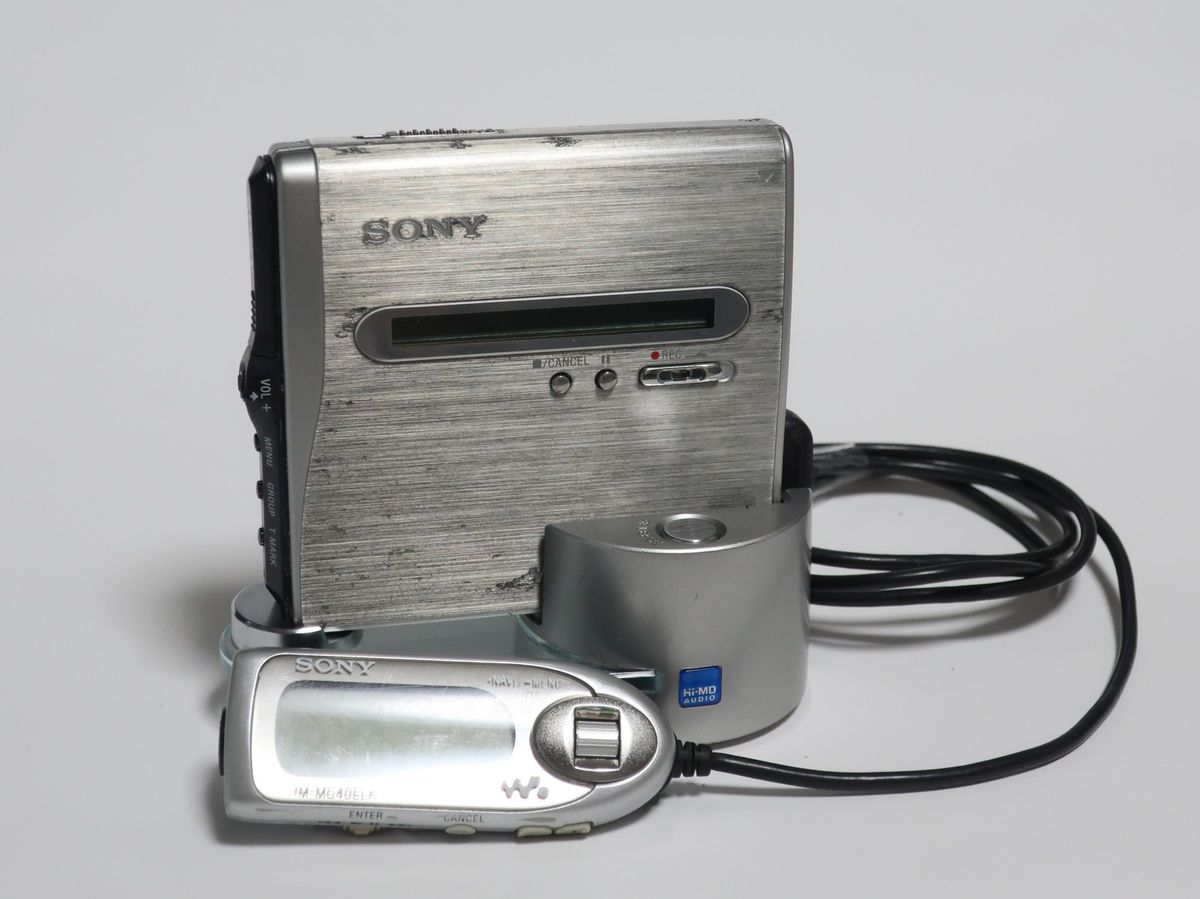
Sony MZ-NH1 Hi-MD Walkman with wired controller and charger. Photo by Darklanlan, “Sony MZ-NH1 Hi-MD Walkman.jpg,” Wikimedia Commons, CC BY 4.0.
Discs, modes and usable capacity
| Media | Documented mode | Manual-listed usable capacity |
|---|---|---|
| 1 GB Hi-MD disc | Hi-MD | 964 MB |
| 60-minute conventional MiniDisc, formatted for Hi-MD | Hi-MD | 219 MB |
| 74-minute conventional MiniDisc, formatted for Hi-MD | Hi-MD | 270 MB |
| 80-minute conventional MiniDisc, formatted for Hi-MD | Hi-MD | 291 MB |
| Conventional MiniDisc in its original format | MD mode | Disc-length capacity; the manual lists SP, LP2 and LP4 recording modes |
The figures above are usable capacity, not the nominal label on the disc. A 1 GB Hi-MD disc is not the same thing as a conventional disc formatted in Hi-MD mode. Sony’s manual gives the 1 GB disc Hi-MD mode only; it describes conventional discs as usable in MD mode or reformattable for Hi-MD. (Operating Instructions, pp. 22–24, 30–32, 75; Sony specifications)
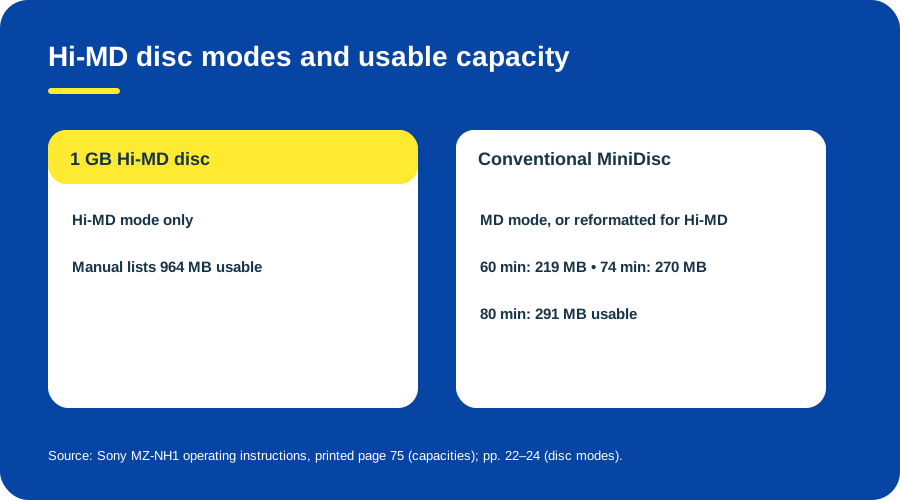
Two disc families, two Hi-MD capacities. Original explanatory diagram; capacity figures follow the Sony MZ-NH1 manual.
The recorder’s choices depend on both disc type and selected mode. Sony lists Linear PCM and ATRAC options, including Hi-SP/Hi-LP for Hi-MD and SP/LP2/LP4 for conventional MD operation. Do not assume every mode is available for every disc. (Operating Instructions, pp. 30, 93–94; Sony specifications)
Record and move audio
To record from a computer to a disc, Sony’s original workflow uses MD Simple Burner. The manual distinguishes this computer-to-disc task from SonicStage’s library and transfer functions. Install the supplied software before connecting the recorder, then use the task-specific application and follow its displayed disc/track prompts. These are period software instructions; current installer availability and operating-system support are not established here. (Operating Instructions, pp. 10–12, 72–75)
To manage audio between the computer and recorder, use the manual’s SonicStage workflow: install the supplied CD-ROM software, connect the MZ-NH1 with its dedicated USB cable, then use SonicStage to transfer supported audio. Sony’s specifications describe USB connection and bus power while connected. That does not prove the cable will charge a battery or that a current computer will recognize the recorder. (Operating Instructions, pp. 72–75; Sony specifications)
- Identify the disc label and decide whether the task is to record from a computer, transfer library audio or import a recording.
- For computer work, install the period Sony software first. The manual’s system requirements describe its original Windows PC environment, not present-day support.
- Connect the recorder using its dedicated USB cable and start the matching application: SonicStage for its documented transfer/library route or MD Simple Burner for computer-to-disc recording.
- Follow the application’s prompts, wait for the operation to finish and disconnect only after the software indicates it is safe.
- Keep an independent copy of important recordings before changing disc modes or attempting imports.
Sony documents restrictions on importing recorder-originated tracks: Hi-MD recordings may be imported into SonicStage only once, with additional restrictions for Net MD or non-Hi-MD-originated material. Treat import as a limited transfer path, not a general-purpose way to copy every disc back to a computer. (Operating Instructions, pp. 109–113)
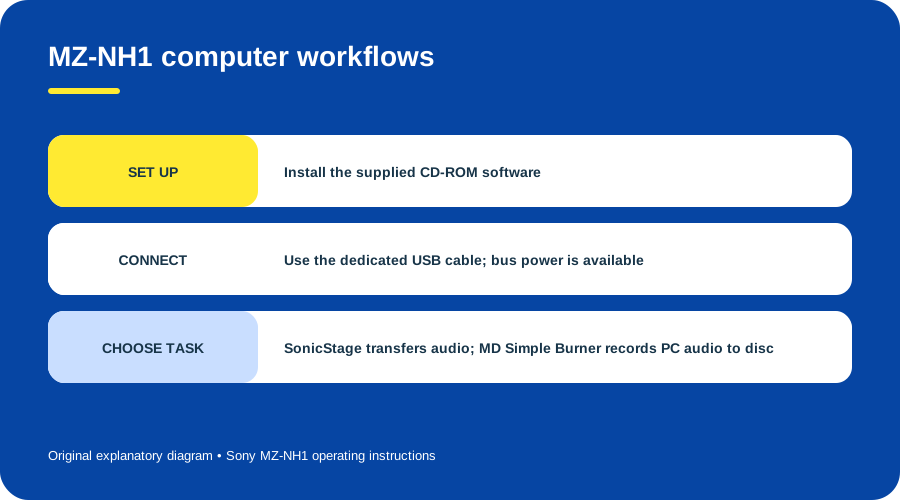
MZ-NH1 computer workflows. Original explanatory diagram based on Sony’s operating instructions.
What is and is not established today
The original manual lists period PC/AT-compatible system requirements for SonicStage and MD Simple Burner. Sony’s support archive identifies English MZ-NH1 instructions and an Operation Guide; it does not certify current software support. The reviewed evidence does not test the recorder with a modern computer, prove that old SonicStage installers remain available or establish the condition of an individual drive, battery or cable. (Sony system requirements, pp. 98–100; Sony MZ-NH1 manuals)
Sources & image credits
Sources
- D12-S1 MZ-NH1 Operating Instructions (Recorder Operation and Software Operation) — pp. 10–12, 22–24, 30–32, 72–75, 93–100 and 109–113; Sony original manual hosted by ManualsLib.
- D12-S2 MZ-NH1 Specifications — Sony’s model-specific media, USB, bus-power and recording-format sections.
- D12-S3 Sony MZ-NH1 product archive — opened product entry and market/accessory context; secondary archival source.
- D12-S4 MZ-NH1 Manuals and Downloads — official model page identifying English documentation and listing dates.
Image credits
- D12-I-HERO — Sony MZ-NH1 Hi-MD Walkman with wired controller and charger. Photo by Darklanlan, “Sony MZ-NH1 Hi-MD Walkman.jpg” on Wikimedia Commons, CC BY 4.0. Resized and recompressed; no crop or retouching.
- D12-I-DISC-MODES — Two disc families, two Hi-MD capacities. Original explanatory vector diagram by Things To Do Your Thing. Evidence: Sony MZ-NH1 Operating Instructions, pp. 22–24 and 75; Sony specifications.
- D12-I-TRANSFER-ROUTES — MZ-NH1 computer workflows. Original explanatory vector diagram by Things To Do Your Thing. Evidence: Sony MZ-NH1 Operating Instructions, pp. 10–12 and 72–75.