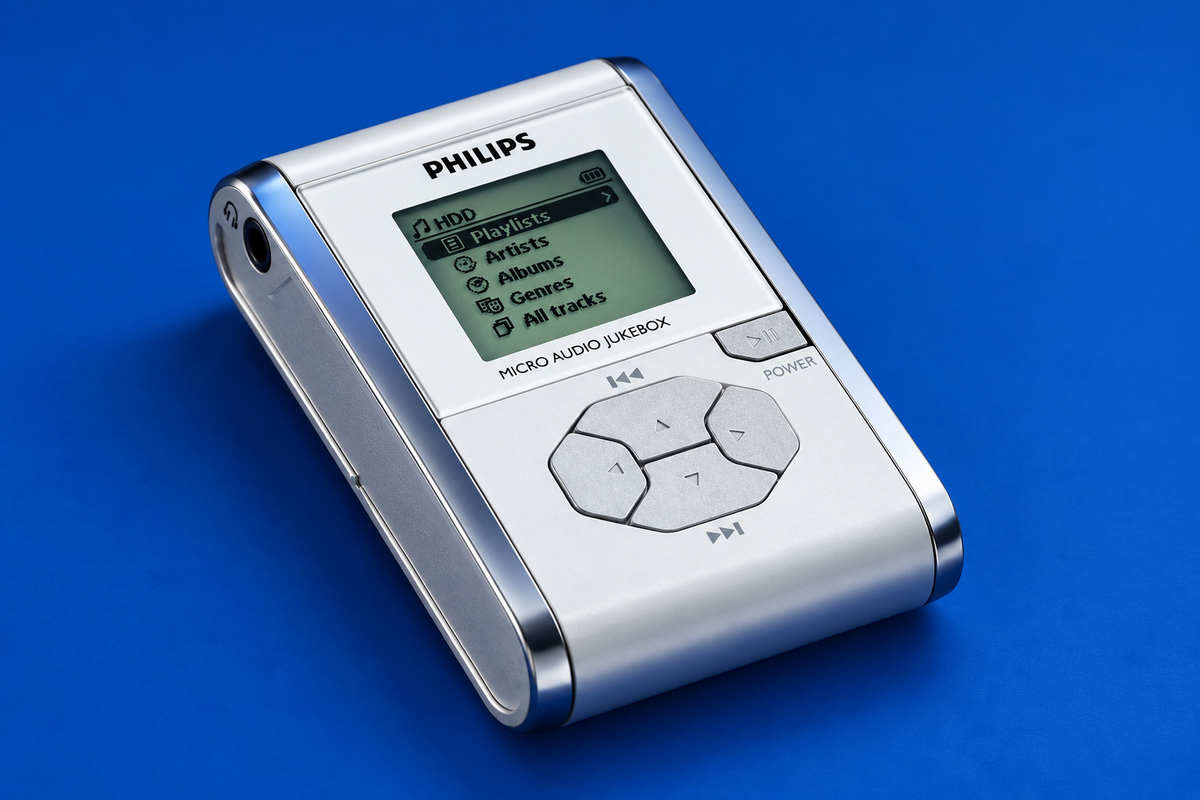
Philips HDD100: Specs, Software and Using It Today
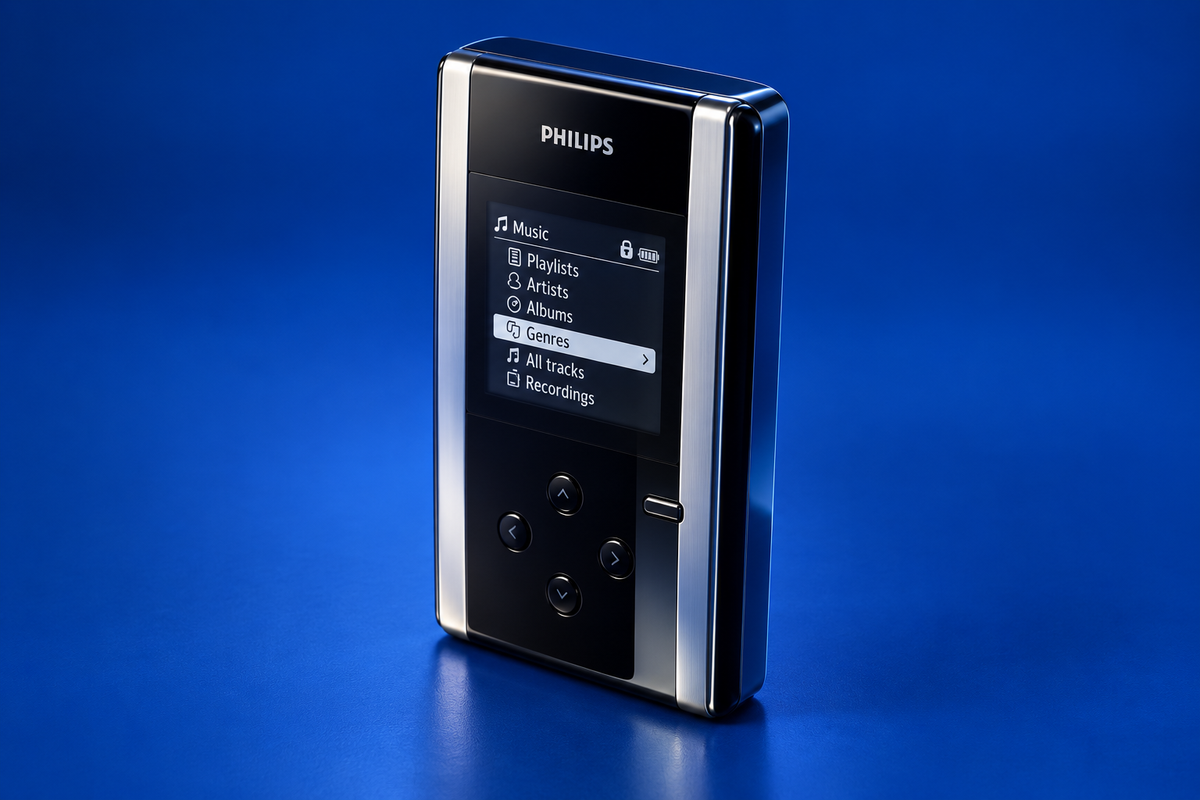
AI-generated illustration. Product details are illustrative and may differ from the original device.
The Philips HDD100 is a 15 GB hard-disk audio player from the early 2000s. It can play MP3 and WMA music, record MP3 audio from a microphone or external source, and serve as general file storage. Its original music library depends on Philips Digital Media Manager (DMM), so a USB connection alone does not establish that music will appear or play. The available documentation describes Windows 98SE, Me, 2000 and XP; it does not verify current Windows or macOS support. Manual, pp. 6, 11–12 Philips support
Before you start
Check the complete model marking before following software advice. The Philips manual reviewed here is listed for HDD100/00. Philips’ DMM upgrade instructions specifically name HDD100/05. Those sources do not establish that every regional suffix has identical hardware or software behavior, so do not apply an instruction to another suffix just because the front says HDD100. Manual listing Philips support
The HDD100 has a 1.8-inch, 15 GB hard drive. It plays MP3 and WMA; the manual lists MP3 at 8–320 kbps, including variable bit rate, and WMA at 32–192 kbps. The documented playback formats are not a promise that every file encoded with those formats will work, and the reviewed manual does not support calling this a WAV music player. Manual, pp. 6, 31
What you need
For playback, the documented route is to manage music with Philips Digital Media Manager. The manual distinguishes that library workflow from copying ordinary data: it says Windows Explorer transfers are not recognized as playable music, though Explorer can be used for generic files. A player that appears as storage over USB is therefore not necessarily ready to play files copied into it. Manual, pp. 6, 12 2003 review, “Software and Connectivity”
The manual’s original PC requirements are Windows 98SE, Me, 2000 or XP, with a USB 1.1 port and USB 2.0 recommended for best performance. It says Windows 2000, XP and Me need no additional drivers; Windows 98SE setup installs extra drivers from the supplied CD. Treat these as period requirements, not current compatibility findings. Manual, pp. 6, 11
Transfer music safely
The documented sequence is: install and open DMM on a computer meeting the original requirements; connect the HDD100 by USB; transfer music through DMM; wait until transfer activity has finished; then use Windows’ Eject Hardware / Stop USB Mass Storage Device command when available before unplugging. Do not disconnect during transfer, formatting or a firmware upgrade. The manual notes that Windows 98SE does not show the Eject Hardware icon and gives separate unplugging guidance for that system. Manual, pp. 11–12
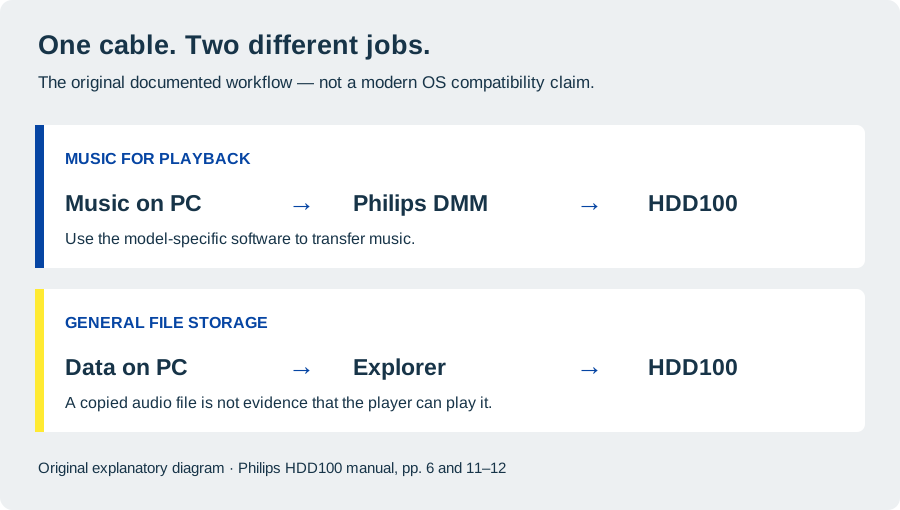
Documented transfer routes, summarized from the HDD100/00 manual. This is a guide diagram, not a test result. Manual, pp. 6 and 12
Philips published a separate DMM upgrade procedure for the HDD100/05: close DMM and other applications, obtain the model-specific PC software from Philips support, save and unzip it, run its executable to remove the old DMM, then run it again to install the upgrade. The support article does not name a Windows version, and the reviewed evidence does not establish that its legacy download is still available or works on a present-day computer. Philips support, steps 1–5
Using it today
The HDD100 can also record MP3 audio. The manual lists its built-in mono microphone at 64 kbps and stereo line-in or digital optical input at selectable 64, 128 or 192 kbps. It identifies a 3.5 mm line-in and a combined analog/digital optical input. These are documented capabilities; no recording was made for this guide. Manual, pp. 8, 24, 31
The manual specifies a built-in 1,200 mAh lithium-polymer battery and the supplied multi-voltage 5 V adapter. It says a full charge takes four hours, with two hours as the recommended minimum, and lists up to ten hours of playback. That is an original specification, not a runtime estimate for an aged battery. Use the specified supplied adapter; the reviewed sources do not establish replacement-charger compatibility. Manual, p. 13 and pp. 31–32
Current computer compatibility remains unknown in the evidence reviewed here. Neither the Windows-era requirements nor the HDD100/05 upgrade note confirms that DMM or USB music transfer works on current Windows releases or macOS. No present-day computer or player was tested. If you have an original supported setup, identify the regional suffix first and preserve the manual’s safe-disconnect sequence. Manual, pp. 6, 11–12 Philips support
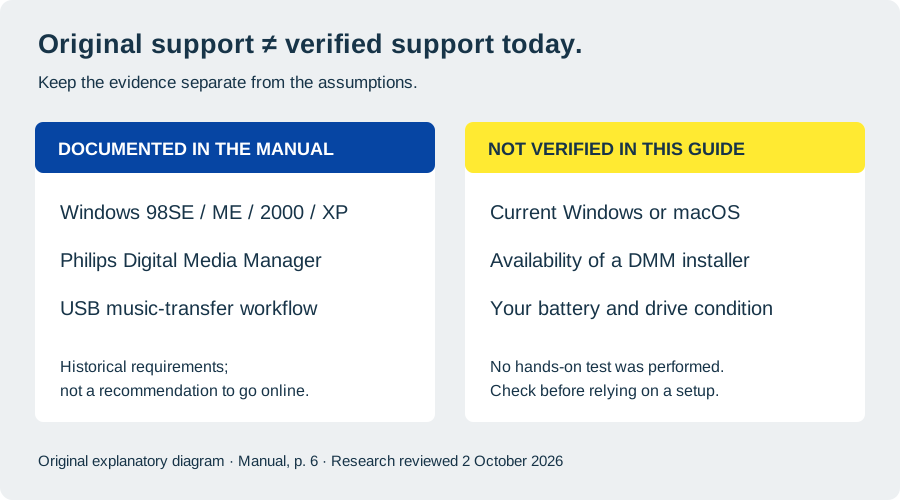
Original system requirements do not establish compatibility with a modern computer. Manual, p. 6 Philips support
Specifications at a glance
| Feature | Documented detail |
|---|---|
| Storage | 15 GB, 1.8-inch hard drive |
| Playback | MP3 (8–320 kbps, including VBR) and WMA (32–192 kbps) |
| Music management | Philips Digital Media Manager; Explorer is documented for generic data, not playable music |
| USB | USB 2.0; compatible with USB 1.1 per the manual |
| Recording | Built-in mono microphone; stereo analog line-in; digital optical input |
| Regional note | Reviewed manual: HDD100/00; Philips DMM upgrade page: HDD100/05 |
| Current computer support | Not established by the reviewed sources |
Specifications above refer primarily to the HDD100/00 manual; confirm the suffix on your unit before relying on regional software instructions. Manual, pp. 6, 8, 24, 31 Philips support
If something goes wrong
If files copied through Explorer do not show up as music, that matches the manual’s distinction: use DMM for the music library, and reserve Explorer for generic data. If you are looking for an installer, Philips’ documented upgrade article is for HDD100/05 and describes a historical procedure; it does not prove that a download is currently available. Avoid interrupting transfers or firmware work, and eject the device through Windows when that option is present. Manual, pp. 6, 12 Philips support
A 2003 reviewer reported that an early crash problem stopped after Philips flashed newer firmware on the review unit. The report does not identify the regional suffix or firmware version, and it does not establish that an update is available or needed for another player today. 2003 review, “Storage and Formats”
Sources & image credits
Sources
- Philips, Philips HDD100 User Manual (Recording Audio Jukebox, HDD100_ENG; 36 pages), reproduced by ManualsLib. Manual imprint: 19 August 2003. The reviewed listing identifies HDD100/00. Open the manual
- Philips Support, How to upgrade the Digital Media Manager DMM on my PC? Applies to HDD100/05; the page does not establish current download availability or modern operating-system support. Open Philips support article
- Riyad Emeran, Trusted Reviews, Philips HDD100 Review, 7 October 2003. Historical review; suffix and firmware version are not stated. Open the review
Images
- Hero: AI-generated illustration created because a photograph with verified publication rights was not available. Details may differ from the original device. Created for Things To Do Your Thing; no source photograph is included in the published image. Reference materials: Pocket-lint review and Opweb HDD 100 gallery. The reference photographs are not licensed or presented here for publication.
- Music-transfer diagram: Original diagram created for Things To Do Your Thing from Philips’ manual, pp. 6 and 12. No manufacturer artwork reproduced. Supporting manual
- Evidence map: Original diagram created for Things To Do Your Thing from Philips’ manual, p. 6 and the limits of the reviewed evidence. No manufacturer artwork reproduced. Supporting manual Philips support article